You are reading: Home › Guide
Paste to parcel: one CFans order, followed through
CFans' own ten steps, rewritten with the hours, waiting times and screen names you will meet, and an official screenshot for each step.
The official CFans walkthrough video
If you would rather watch than read, this is CFans' own recording of the whole process on its website, from the sign-up form to choosing a route. Pause it on any screen you want to study.
Video: CFans official guide, 2:35, stored on CFans' own servers; the recording carries a September 5, 2026 date. Nothing downloads until you press play, and the footage is CFans' own, uncut.
Before you start
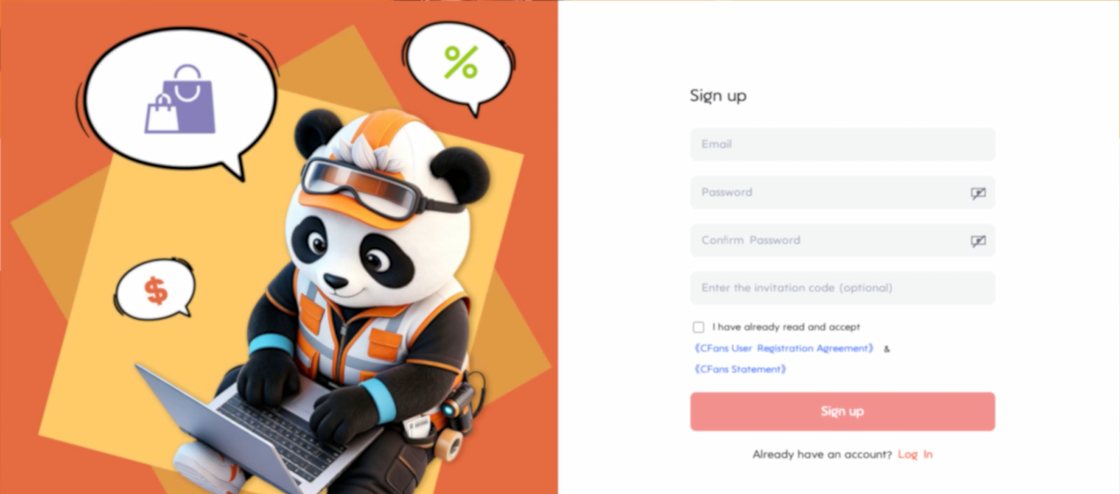
A CFans login comes first
Signing up takes an email and a password with at least six characters, one letter and one number, or a Google or Apple sign-in. An invitation code box is optional; we have none to offer. Accepting the CFans User Registration Agreement is part of the form, and that agreement is where the eight per cent service fee discussed on our fees page is written.
Step 1 of 10
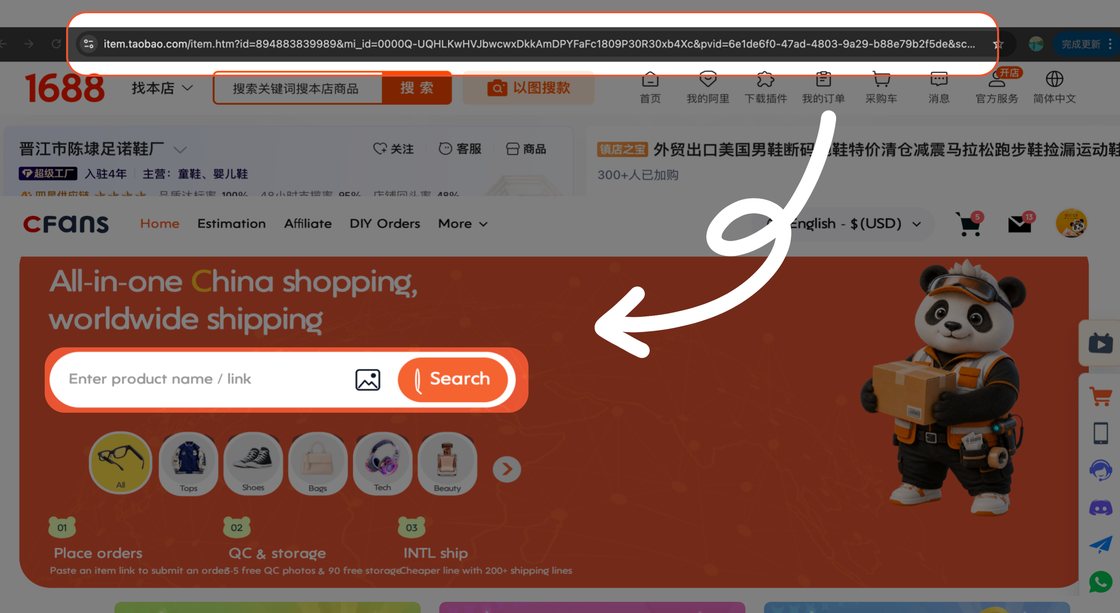
Paste a link, type words or upload a photo
CFans gives you three ways in. Paste an item address from Taobao, Tmall, 1688 or Weidian into the search bar and the page is read for you. Type words and CFans searches Taobao, Tmall and 1688 at once, with a separate result set for each. Or press the camera icon and upload a photo; CFans' help notes that a plain background gives better matches.
Links from anywhere else, such as Xianyu or Pinduoduo, go through the DIY Order form, where you type the link, options, quantity and price by hand. Every pick in our catalogue came from the 1688 results, so its CFans item page opens directly from the card.
Step 2 of 10
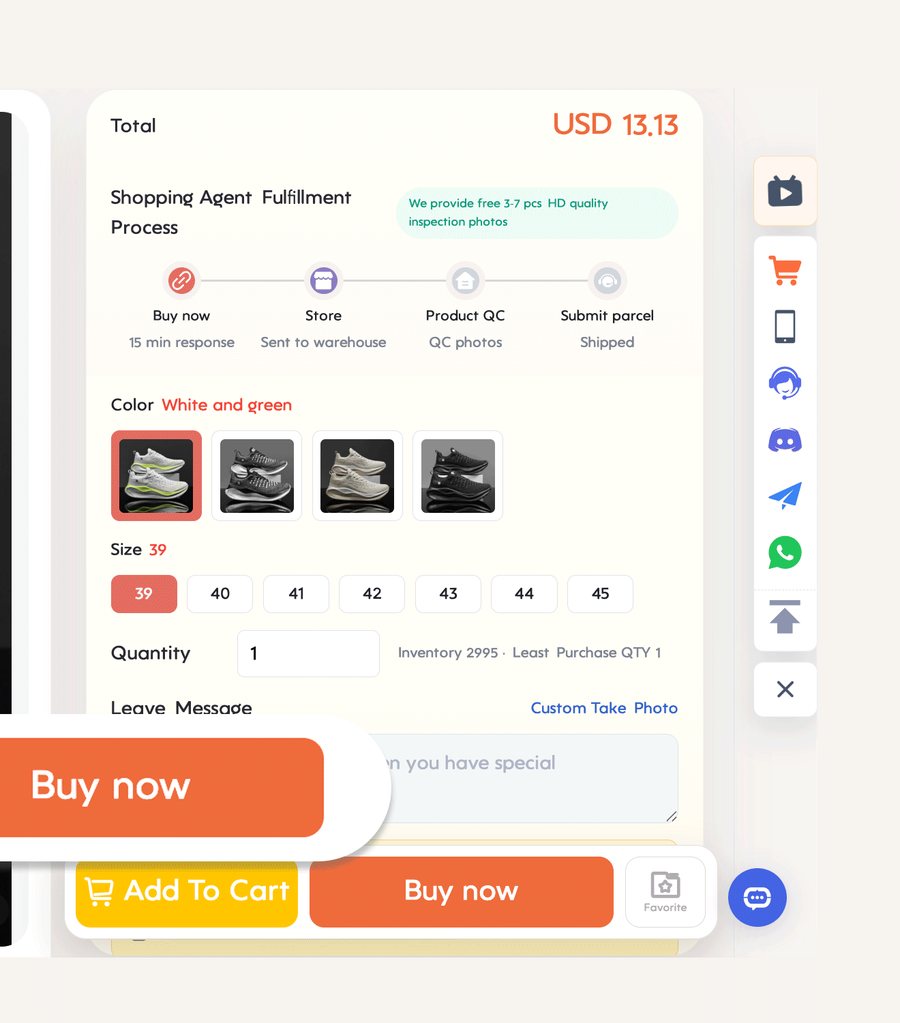
Option menu, minimum order and message field
The item page shows the seller's option menu translated into English, the stock and a line headed Least Purchase QTY. On 1688 that minimum is often above one: four of our forty-five picks need two units, and one listing we dropped needed one hundred.
Two boxes under the options are worth using. Leave Message reaches the CFans buyer, so write your size choice in words there as well. Custom Take Photo asks for a specific photo at the warehouse. Before Buy now you tick a risk notice: the goods are sourced from another platform, and CFans does not promise their quality or authenticity.
Step 3 of 10
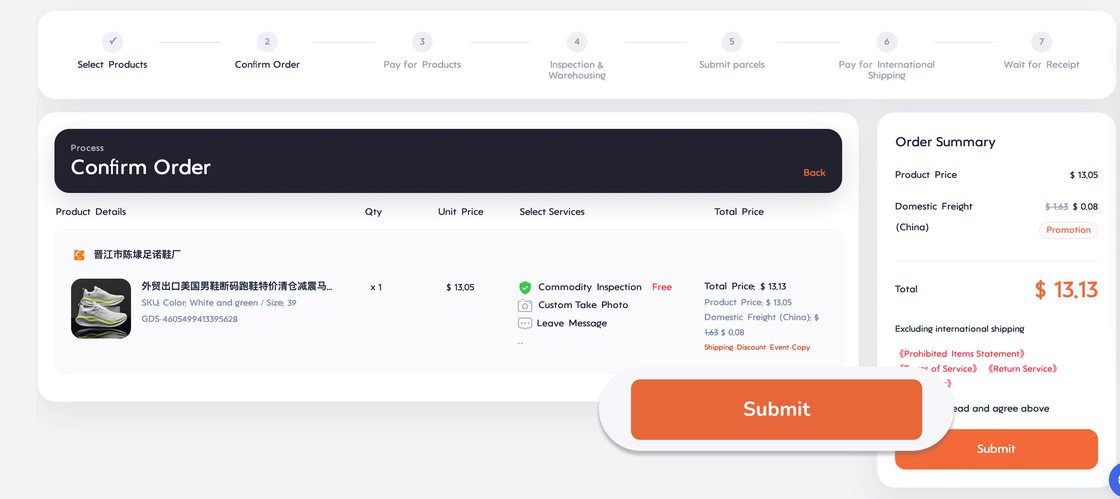
Opening payment: item price and China leg
This payment covers the goods and the seller's shipping into the CFans warehouse; international shipping comes later. CFans lists PayPal, cards and Google Pay, in several currencies. An unpaid order waits 72 hours before it lapses.
The official video's payment screen lists cards at 4.5 per cent plus $0.40 handling and PayPal at 3.6 per cent plus $0.40, and none for paying from the CFans wallet. The help centre does not repeat those numbers, so check the line on your own payment screen. If the seller changes the price or the China delivery fee after you pay, CFans asks for a supplementary payment.
Step 4 of 10
CFans staff buy from the seller
The item pages say CFans buys between 09:00 and 18:00, UTC+8. The help centre adds the detail: orders placed in those hours are handled within six hours, later ones by 14:00 the next day, and the purchase itself is completed within 24 hours of payment unless the seller has to confirm something first.
After that the seller ships, usually within three to seven days for Taobao and 1688 shops (custom and pre-sale goods take longer), and the trip to the warehouse inside China normally lasts three to five working days, as many as seven when the seller is remote. Changes are possible until the seller ships; after that the route is a return and a new order.
Step 5 of 10
Arrival, QC pictures and the sixty-day count
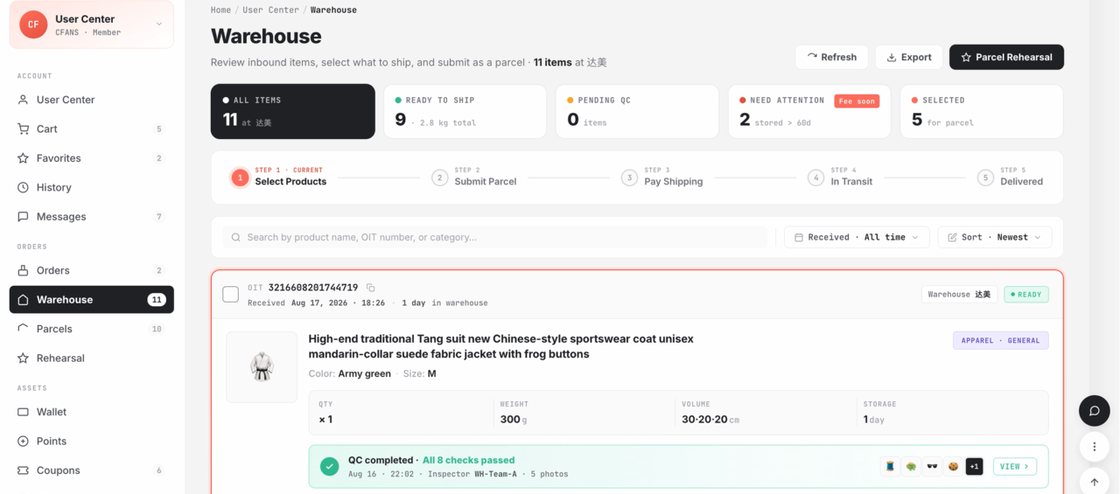
On arrival the courier packaging is removed, the goods are checked, photographed, weighed and stored; the help centre gives about three working days for this. Your photos appear under User Center, Warehouse.
Storage is free for a period that starts at Warehouse In, and here CFans' own pages differ: the help centre says 60 days, while the beginner's guide and the home page say 90. Plan for 60. Renewal costs CNY 10 for each extra 30 days and opens 20 days before expiry; goods left past the deadline are treated as abandoned.
Step 6 of 10
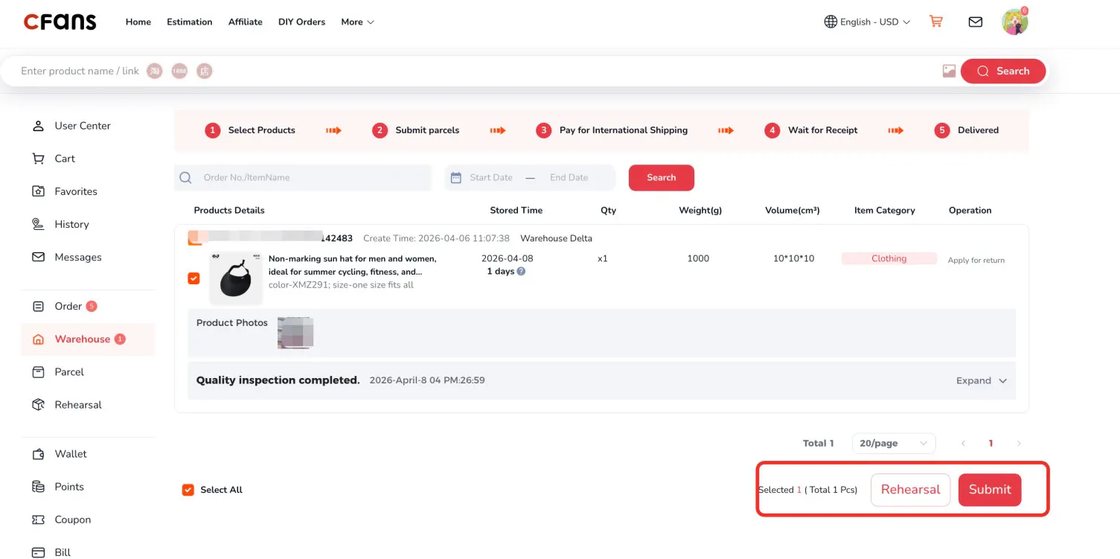
Selecting stored goods to ship together
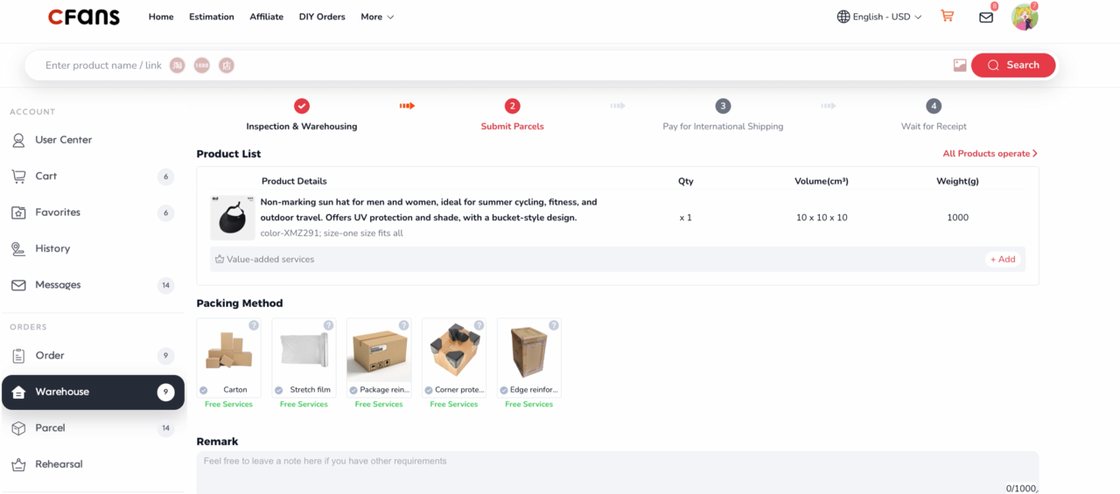
In Warehouse, tick the items to send together and press Submit. The form asks for the address, the route and any extras: removing packaging, reinforcement, insurance, splitting the shipment or removing tags. A Remark box takes anything else.
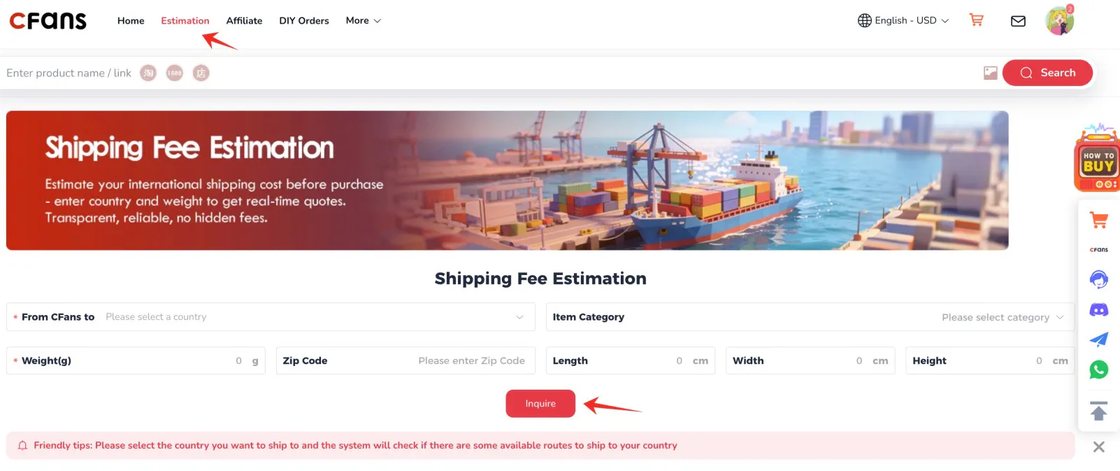
CFans recommends only routes that accept what is in the parcel, so a perfume or a keyboard can shorten the list. In the video each packing option carries a Free Services tag; the help centre's price list for packaging extras says otherwise, so check what the form charges when you get there.
Step 7 of 10
The international shipping deposit
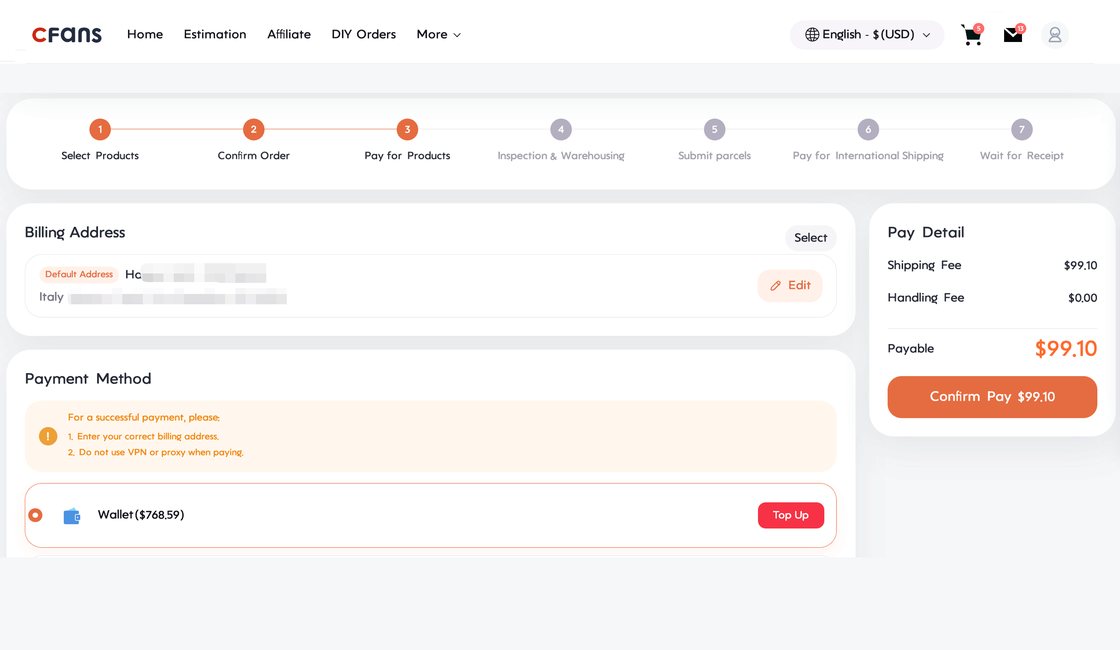
The international charge at this point is provisional: CFans bases it on the estimated weight, the route and the destination. The final price comes from what the carrier measures after packing. Overpay and the excess lands back in your CFans account once the parcel leaves; if too low, CFans asks for the rest, and covers very small gaps itself.
Step 8 of 10
Packed, weighed, handed to the carrier
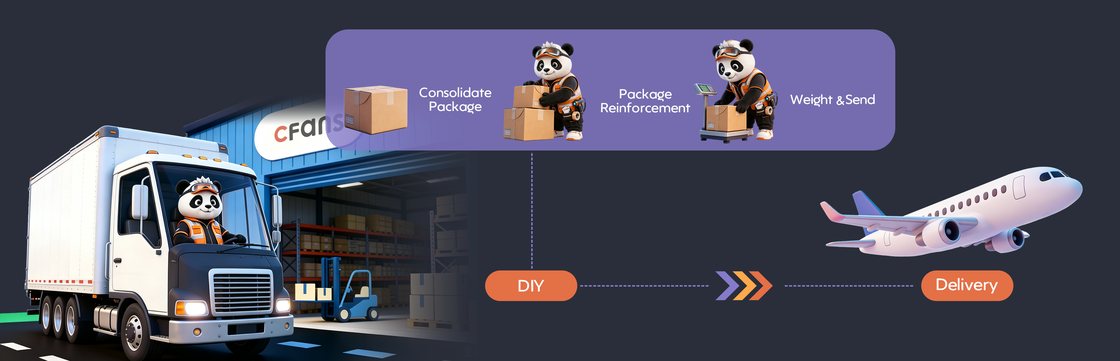
Staff combine the items, pack and reinforce the box, put it on the scale and pass it to the carrier. The weight shown when you submitted was an estimate; the actual packed weight appears in the parcel details about a week after dispatch.
Step 9 of 10
Tracking the parcel home
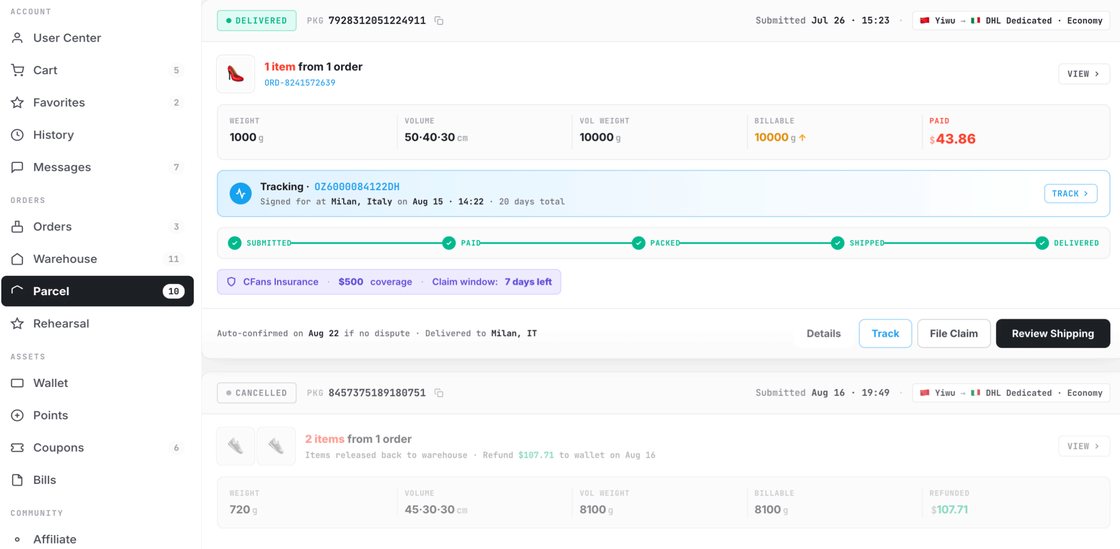
Tracking lives under User Center, Parcels. CFans' guide is frank that delays, customs holds, taxes, damage and loss can happen once the parcel is with a carrier or customs, and that it cannot control those stages. Keep the outer box until you have checked everything.
Step 10 of 10
Confirm delivery or open an after-sales case
Confirm receipt in Parcels once everything is checked. Problems go through the same page: choose the parcel and apply for after-sales, with photos of the packaging and the goods. The window is seven days from confirming receipt, but never past 45 days from dispatch. A wrong-size claim needs a photo of the size label, so do not cut labels off until you are sure.
Status words on CFans order screens
The order and parcel pages use fixed status words. These are the ones from CFans' help centre that most often raise questions.
| Status | What it means |
|---|---|
| Payment Pending | Waiting for you to pay; lapses after 72 hours |
| Order Processing | A CFans buyer is reviewing the order |
| Purchased | The buyer has ordered from the seller |
| Seller Sent | The seller has shipped to the warehouse |
| Stock Arrived | Goods are at the CFans warehouse |
| QC Completed | Inspection and photos are done |
| Supplementary Payment | A price or fee changed and more is due |
| Parcel Packing | Your submitted parcel is being packed |
| Destroyed / Overdue | Storage ran out and the goods passed to CFans |
CFans' guide and help centre as sources
The beginner's guide and help centre on cfans.com are the source for everything above, read on October 24, 2026. They change, and when they do the official wording wins. If something goes wrong with an order, the help centre and CFans' 24-hour chat are the first stop.
CFans beginner's guide
CFans help centre